

5 Free AI Tools That Do 90% of Your Daily Work (2026 Productivity Guide)
Let’s be honest: you are likely spending hours every single day on boring, repetitive tasks. Whether it is summarizing long documents, editing videos, or drafting presentations, busywork is draining your energy.
Working harder isn’t the answer—working smarter with artificial intelligence is.
In this comprehensive guide, we have rounded up the absolute best free AI tools available right now. These applications will automate your worst tasks, supercharge your daily productivity, and give you your time back.
Quick Comparison: Top AI Productivity Tools
| Tool | Primary Best Use | Key Benefit | Free Tier Limit |
| NotebookLM | Deep Research & Synthesis | Converts notes into audio podcasts & summaries | Completely Free |
| v0 by Vercel | Instant Web App & Frontend Dev | Generates production-ready React/Tailwind code | Generous Monthly Credits |
| CapCut AI | Automated Viral Video Editing | Automated captions, reframing & cuts | Free with Watermark/Pro Upgrades |
| Gamma App | Instant Presentations & Documents | Generates full slide decks from a single prompt | 400 Initial AI Credits |
| Perplexity AI | Fast, Ad-Free Web Research | Real-time search with citations | Free Unlimited Quick Searches |
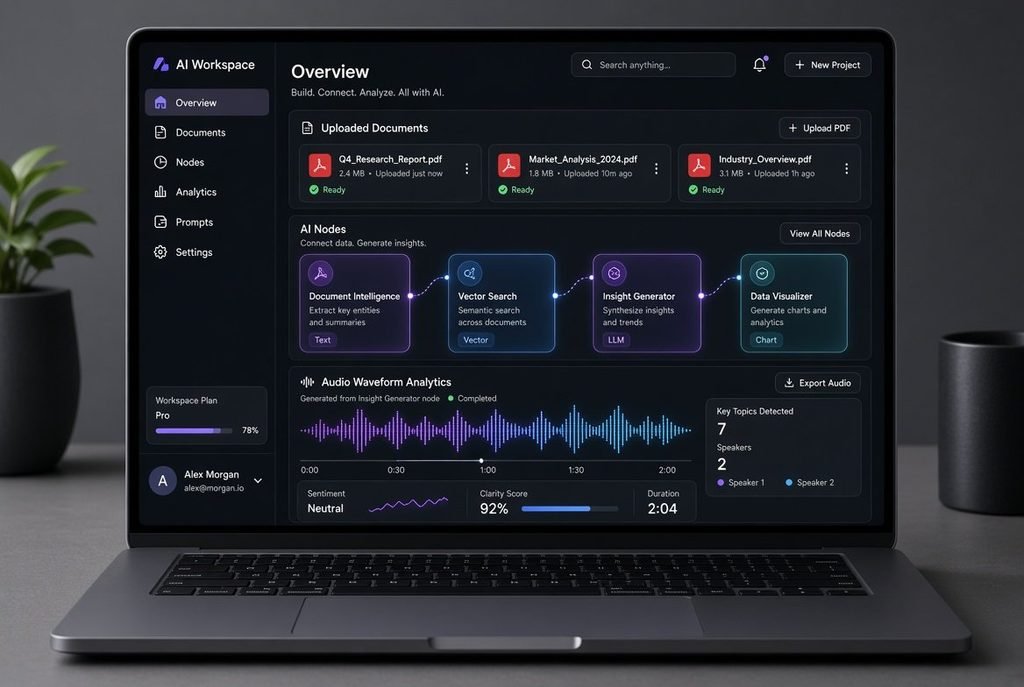
1. NotebookLM
Best For Deep Research & Note Synthesis
Google’s NotebookLM is a game-changer for anyone dealing with heavy reading. You simply upload your PDFs, links, Google Docs, or notes, and the AI acts as a private expert trained exclusively on your data. It can even generate a fully voiced, two-person audio podcast summarizing your uploaded documents.
Key Features
- Grounded language model that minimizes hallucinations by strictly referencing your uploaded files.
- Generates instant study guides, FAQs, timelines, and briefings.
- Seamlessly handles up to 50 sources simultaneously for complex cross-referencing.
Pros
- Generates realistic audio summaries and interactive discussions.
- 100% free with no hidden paywalls for core usage.
- Full citation support linking directly to source material.
Cons
- Answers are strictly limited to your uploaded sources.
- Can occasionally experience processing delays on massive documents.
Who it is for: Students, researchers, content creators, and busy professionals.
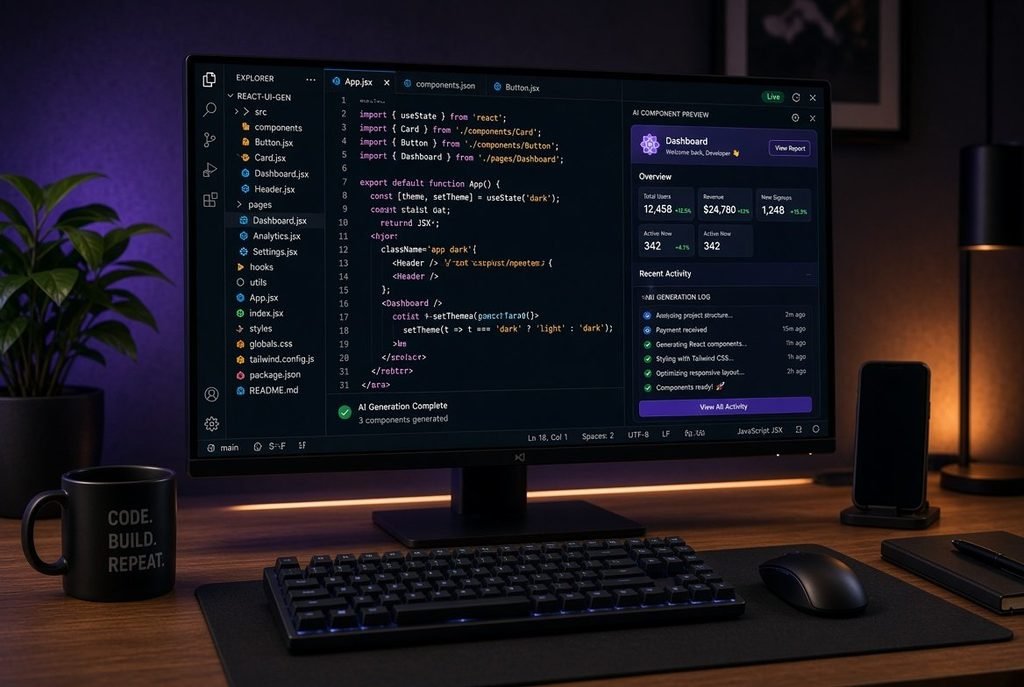
2. v0 by Vercel
Best For Instant App & Web Interface Creation
If you have ever wanted to build a website or an app but don’t know how to code, v0 is your solution. You type what you want in plain English (e.g., “Build a sleek fitness tracking dashboard”), and the AI generates production-ready React, Tailwind CSS, and shadcn/ui code in seconds.
Key Features
- Generates modular, accessible, and responsive component UI.
- Interactive visual editor allowing you to iterate on design using plain text prompts.
- Direct deployment capability via Vercel’s cloud infrastructure.
Pros
- Lightning-fast frontend code generation and live preview.
- Highly customizable code output using standard modern frameworks.
- Allows non-technical founders to launch MVPs quickly.
Cons
- Requires basic technical knowledge to deploy to custom domains or backends.
- Free tier operates on a recurring credit limit per month.
Who it is for: Aspiring entrepreneurs, UI/UX designers, and full-stack developers.
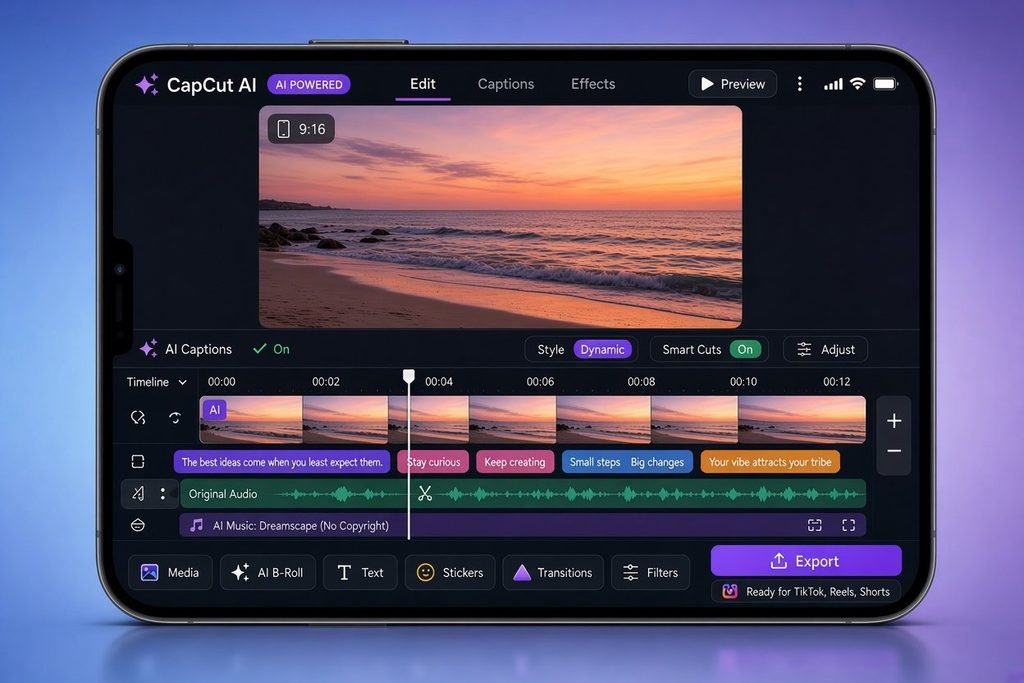
3. CapCut AI
Best For Short-Form & Viral Video Creation
Short-form video is the fastest way to build an audience online, and CapCut’s integrated AI features make production effortless. The tool automatically removes silent pauses, generates animated captions, and applies auto-framing to optimize vertical formats for platforms like TikTok and Instagram Reels.
Key Features
- AI Text-to-Video generation using simple topic descriptions.
- Automatic voice-to-text subtitle generation with trendy design presets.
- One-click AI background removal and smart color correction.
Pros
- Massive library of trending templates and sound effects.
- Highly accurate auto-captioning with instant styling.
- Significantly cuts editing time for fast-paced short content.
Cons
- Advanced elements and 4K exports require a paid Pro subscription.
- High processing demands can lag on older mobile devices or low-spec PCs.
Who it is for: Social media managers, TikTok creators, and digital marketers.
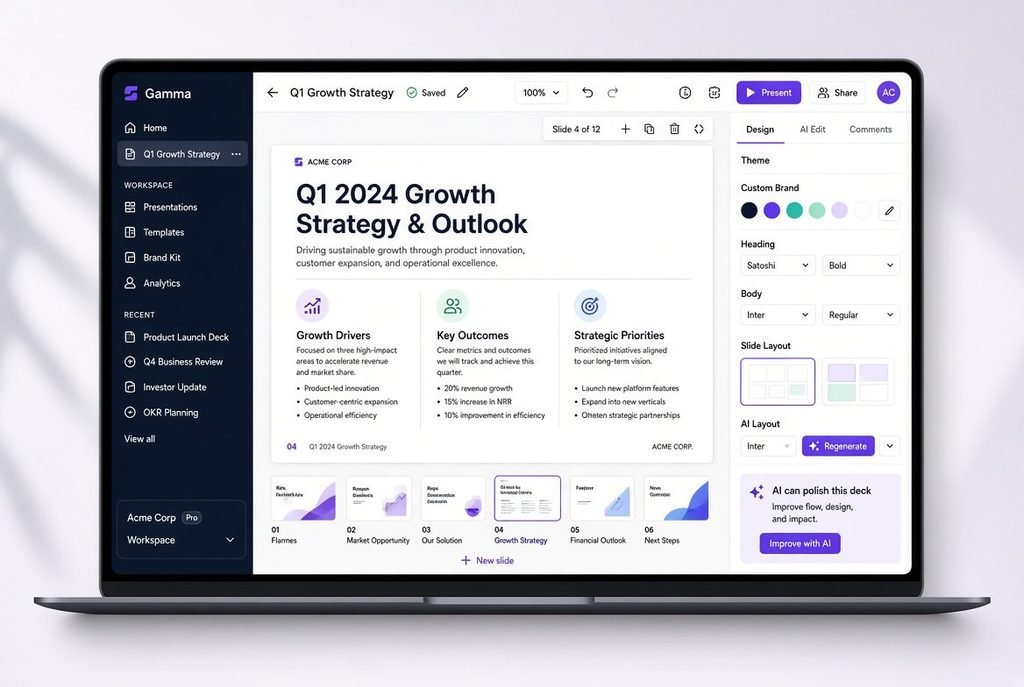
4. Gamma App
Best For Instant Presentations & Pitch Decks
Creating pitch decks and PowerPoint presentations usually takes hours of formatting and visual alignment. Gamma builds fully designed, editable slideshows, webpages, or documents from a single text prompt. It automatically handles color schemes, image sourcing, and content layout.
Key Features
- Flexible card-based formatting that goes beyond traditional rigid slide dimensions.
- Built-in AI image generation and royalty-free asset integration.
- Interactive elements like web embeds, forms, and video playback directly on slides.
Pros
- Modern, professional aesthetic output out of the box.
- Seamless export options to PDF, PowerPoint, or live interactive links.
- Eliminates time spent tweaking font sizes and image alignments.
Cons
- Free AI generation credits run out quickly with heavy use.
- Custom brand kits and domain hosting require a premium tier.
Who it is for: Startup founders, educators, sales professionals, and consultants.
5. Perplexity AI
Best For Fast, Accurate Information & Research
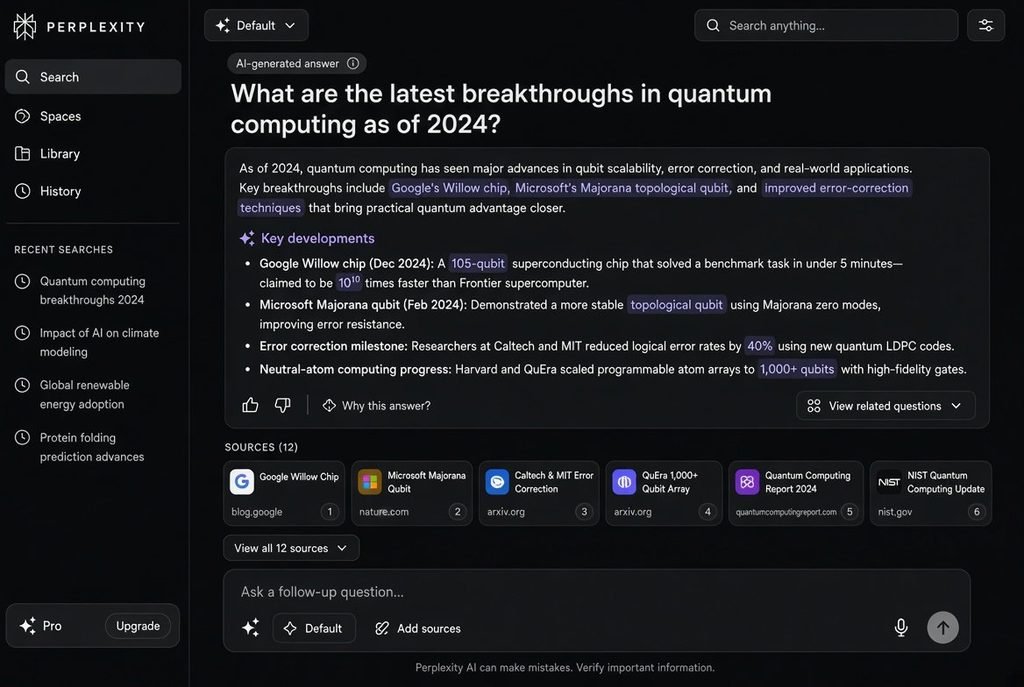
Traditional search engines force you to click through dozens of ad-heavy pages just to find a single fact. Perplexity acts as a conversational answer engine—it searches the live web, synthesizes the information into a clear concise answer, and cites every source.
Key Features
- Real-time web index integration for up-to-the-minute news and facts.
- Pro Search capability utilizing advanced reasoning models for complex queries.
- Built-in file analysis for parsing uploaded documents alongside live web data.
Pros
- Clean, ad-free interface with direct inline citations.
- Saves time by synthesizing information from multiple websites instantly.
- Threaded follow-up system allows deep exploration of topics.
Cons
- Daily limit on Pro Search reasoning queries.
- Complex academic queries still require manual double-checking of cited links.
Who it is for: Researchers, journalists, students, and everyday web searchers.
Strategic Workflow: How to Combine These Tools
Using these tools individually will save you hours, but combining them into a single workflow creates an unmatched productivity system:
- Research & Synthesis: Start by feeding your raw notes or web links into Perplexity AI and NotebookLM to generate structured insights and quick outlines.
- Content & Presentation: Paste your synthesized notes into Gamma App to generate a presentation deck or landing page outline in under two minutes.
- Distribution & Prototype: Turn the presentation concept into an interactive web app using v0, then cut a promo video summarizing the idea using CapCut AI.
Frequently Asked Questions (FAQ)
Are these AI tools truly free to use?
Yes, all five tools offer functional free tiers. NotebookLM is completely free, while tools like Gamma, v0, CapCut, and Perplexity offer recurring free credits or standard tiers with paid upgrades for advanced features.
Will AI tools replace the need for human input?
No. These tools are designed to automate repetitive, manual busywork—like formatting, raw transcription, and basic draft creation. Human oversight is still required for strategy, creative direction, and fact-checking.
Which tool should I try first?
If you work heavily with documents, PDFs, or research, start with NotebookLM. If you spend most of your time searching the web for quick, accurate answers, make Perplexity AI your default search engine.
Conclusion
The AI revolution isn’t coming—it is already here. By incorporating just one or two of these tools into your weekly routine, you can eliminate manual busywork and save 20+ hours every month.
Which of these tools are you going to test first? Drop a comment below and let us know how you plan to automate your workflow!